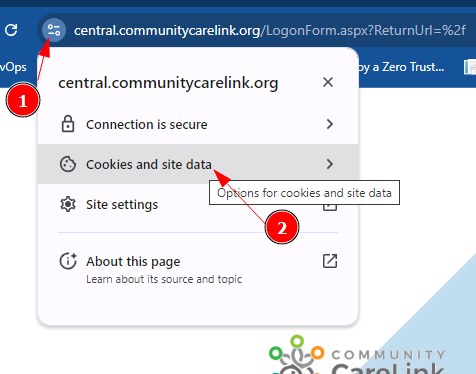
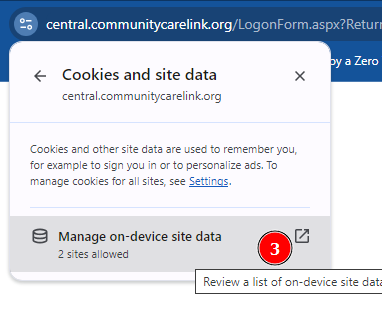
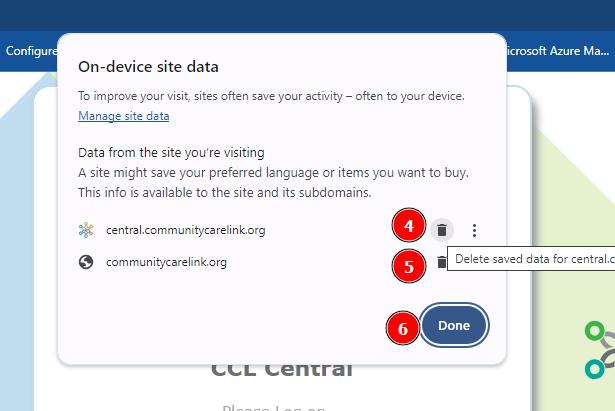
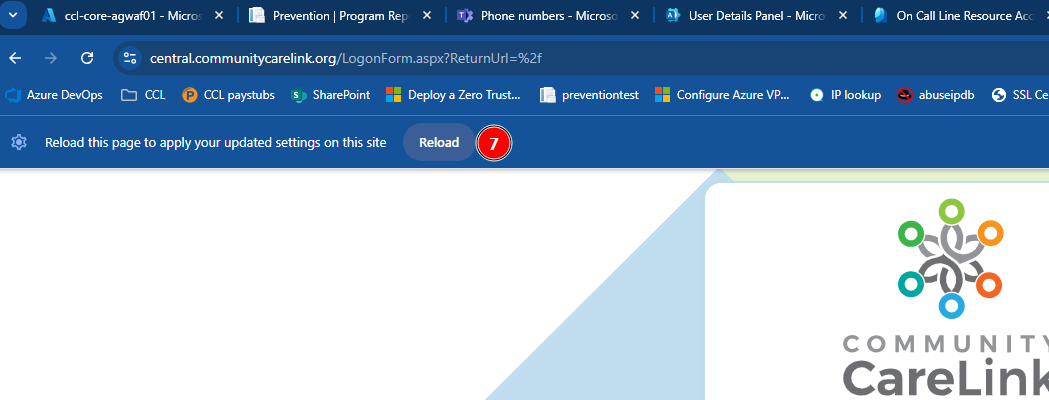
In some instances, browser cache/cookies can cause a page to not work as expected or not load. Please follow these instructions (specific to Chrome but Safari or Edge should be similar) to delete temporary files and reload the page.
Was this article helpful?
That’s Great!
Thank you for your feedback
Sorry! We couldn't be helpful
Thank you for your feedback
Feedback sent
We appreciate your effort and will try to fix the article